
I used to stand in the grocery aisle with my phone flashlight out at 7pm on a Wednesday, trying to remember if I had cumin at home. Half the time I’d buy it anyway, then find three unopened bottles in the pantry a month later. That cycle of forgotten ingredients and duplicate jars ended the week I started using a simple food journal grocery list system. Now my cart matches my actual plan, my weekly bill dropped, and I haven’t ordered emergency takeout in months.
If you’re tired of wandering the store with a half-written list and a vague memory of what’s in the fridge, this guide is for you. I’ll walk you through exactly how to use a food journal to plan better grocery lists, from picking a format to running a weekly review. You’ll see how the same journal that tracks what you eat can become the engine behind a smarter, cheaper shopping trip.
Table of Contents
- What Is a Food Journal and How It Differs From Meal Planning Apps
- Why a Food Journal Improves Your Grocery List
- How to Set Up a Food Journal in 3 Steps
- Converting Your Meals Into a Grocery List
- Digital vs Physical Food Journal: Which One Works Best
- Weekly Review and Adjustment Tips That Keep the System Working
- Common Mistakes to Avoid When Journaling for Groceries
- Frequently Asked Questions
- Closing Thoughts on Food Journal Grocery Planning
What Is a Food Journal and How It Differs From Meal Planning Apps
A food journal is a notebook, bullet journal spread, or simple digital document where you record what you eat, what you plan to eat, and the ingredients each meal requires. The magic happens when you flip the concept: instead of just logging food after the fact, you write the plan first and let it generate your grocery list automatically.
Meal planning apps like BigOven, Mealime, or Paprika do something similar, but they lock you inside their templates and ingredient databases. A food journal gives you total freedom. You can sketch a week’s meals on a single page, add notes about portions for your kids, or paste in a recipe your aunt texted you. It belongs to you, not a subscription.
The biggest difference is customization. Apps push you toward their workflow. A journal follows yours. That’s why I keep coming back to paper for the actual planning, even though I use an app to count calories.
Why a Food Journal Improves Your Grocery List
Most people build a grocery list by wandering the kitchen, opening the fridge, and grabbing a notepad. That approach misses the things buried in the back of the pantry, ignores what you already committed to eating, and almost guarantees at least one impulse buy at the store.
A food journal flips the order. You decide what you’re cooking first, write down the ingredients, then shop with a list that matches the plan. According to the USDA, households that plan meals before shopping waste significantly less food and spend less per trip than those who shop without a plan.
Here are the three gains I noticed within my first month:
- Less food waste because every purchase has a purpose tied to a specific meal.
- Lower grocery bills since I’m no longer buying duplicates of things I forgot I had.
- Fewer midweek takeout orders because the plan is visible and prepped.
For anyone focused on weight loss, the benefit compounds. When you write down what you’ll eat in advance, you’re far less likely to swing through the drive-through after a long day.
How to Set Up a Food Journal in 3 Steps
This is the part most guides overcomplicate. You don’t need a fancy notebook, color-coded pens, or a course on bullet journaling. You need a format, a template, and a routine.
Step 1: Choose Your Format
Pick the medium you’ll actually use five days from now, not the one that looks best on Instagram. Common options include:
- A dedicated notebook or bullet journal (great if you already journal).
- A simple notes app on your phone (Notes, Google Keep, Notion).
- A printable weekly meal planner PDF pinned to the fridge.
- A spreadsheet with tabs for meals, ingredients, and pantry staples.
If you’re unsure, start with whatever is closest to your hand right now. You can always upgrade later.
Step 2: Build Your Template
A solid food journal template has four sections:
- Weekly meals: breakfast, lunch, dinner, and snacks for each day.
- Recipe ingredients: every component of every planned meal, including spices and oils.
- Pantry staples: a running list of items you’re low on (olive oil, pasta, rice, eggs).
- Notes: room for leftovers, schedule changes, or new recipes to try.
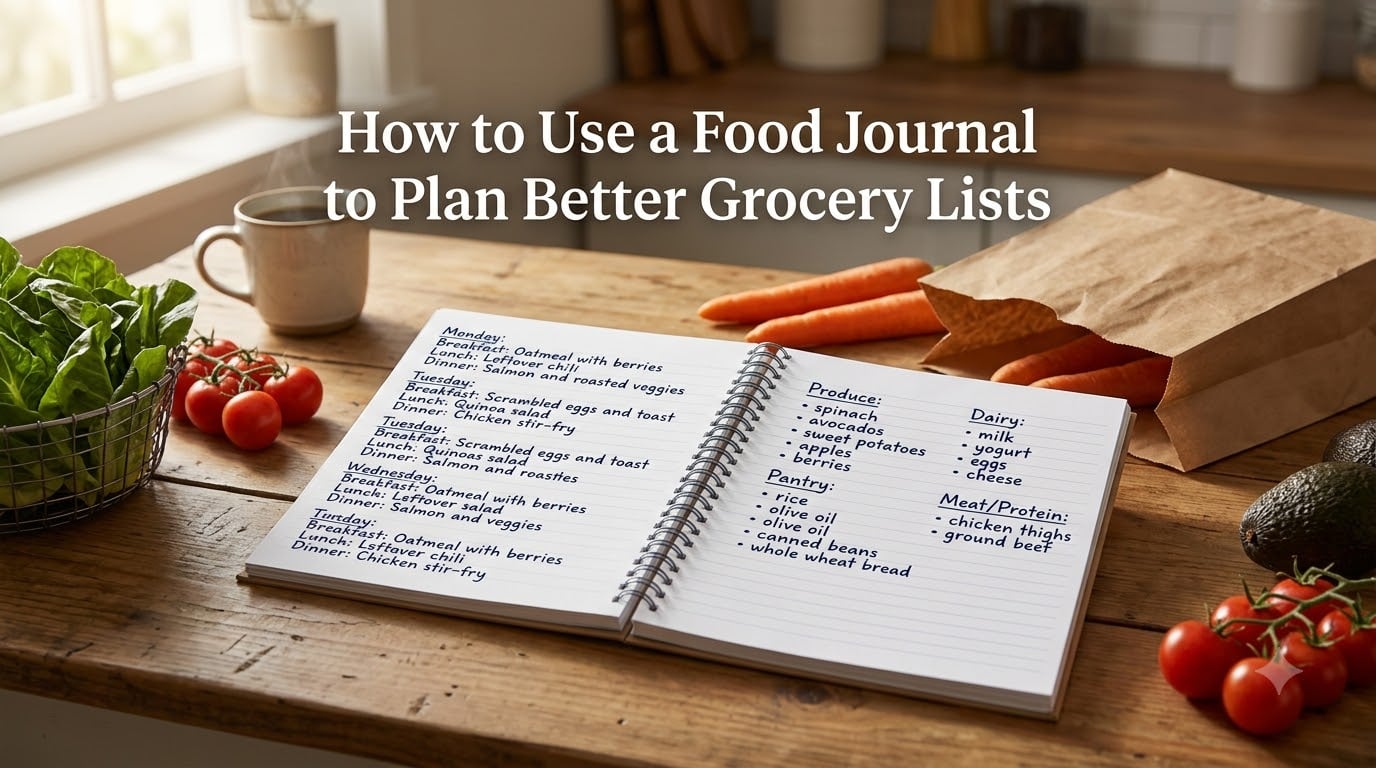
Keep the layout simple. One side for the meal plan, the facing page for the grocery list it generates.
Step 3: Pick Your Review Cadence
Block 15 minutes every Sunday for your weekly review. Look at last week, see what got eaten and what went to waste, then plan the next seven days. The review is the habit that keeps the system alive. Without it, the journal becomes a graveyard of good intentions.
Converting Your Meals Into a Grocery List
This is where the food journal grocery list connection really clicks. Once your weekly meals are written down, transforming them into a shopping list is mechanical.
Walk through each meal and write every ingredient. Don’t skip the small stuff. Spices, condiments, cooking oils, and garnishes count. If your Tuesday stir-fry needs sesame oil and your Thursday soup needs dill, write them down.
Next, group items by store section:
- Produce (fruits, vegetables, fresh herbs).
- Protein (chicken, fish, tofu, beans).
- Dairy and eggs.
- Pantry and dry goods (rice, pasta, canned tomatoes).
- Spices, oils, and condiments.
- Frozen items.
Finally, check quantities. A recipe that serves 4 doesn’t need 4 pounds of chicken if you’re cooking for 2 with leftovers. Multiply up or down based on your actual household.
The result is a list organized the way the store is laid out, which means you walk through once, top to bottom, instead of doubling back for the cilantro you forgot.
Digital vs Physical Food Journal: Which One Works Best
This is the question I get most often from readers, and there’s no universal answer. It depends on how you think and what you’ll actually use.
Physical journals win on three fronts: they’re tactile and satisfying to write in, they don’t fight you with notifications, and they let you sketch, doodle, or tape in recipes. If you’re already a bullet journal fan, adding a meal planning spread takes about ten minutes and feels like a natural extension of your existing practice.
Digital journals win on searchability, sharing, and integration. If your partner needs to see the plan on their phone, a shared Google Doc beats a notebook on the counter. If you want to copy a recipe link straight from a website, digital wins. If you want to log calories in the same place you plan meals, an app like MyFitnessPal or Cronometer handles the tracking and you keep the planning in your journal.
My honest recommendation: use both. Plan on paper because the act of writing helps you think. Track calories and macros in an app because the math is faster. Build the grocery list back on paper because that’s what you’ll take to the store.
Weekly Review and Adjustment Tips That Keep the System Working
The weekly review is the most skipped step and the most important. It’s also the shortest. Here’s the routine I run every Sunday morning with my coffee:
- Open last week’s plan. Mark meals we actually ate and meals we skipped.
- Check the fridge, freezer, and pantry for leftovers or unused ingredients.
- Pull three or four favorite meals forward to reduce decision fatigue.
- Plan the next seven days around the schedule (busy Tuesdays get leftovers).
- Generate the grocery list by walking through each meal and grouping by aisle.
Two tips that saved my routine when life got busy. First, build a “pantry staples” running list on the last page of your journal. Add to it all month, then pull from it when building the weekly grocery list. Second, keep a “fallback meals” list of three dinners you can make from pantry items alone, for weeks when the plan falls apart.
Common Mistakes to Avoid When Journaling for Groceries
I’ve made most of these mistakes, so consider this the short list of what to skip.
- Forgetting spices and condiments. They make up roughly 15% of my forgotten items. Add a dedicated section in your template.
- Planning portions for the wrong household size. If you’re cooking for 1, don’t buy for 4.
- Abandoning the journal after one missed week. Skip a week, fine. Start again on Sunday. The system forgives.
- Tracking what you ate instead of what you’ll eat. The grocery list comes from the plan, not the diary.
- Skipping snacks. They account for more calories and more ingredients than most people realize.
Readers on the r/MealPrepSunday subreddit echo this last point constantly. The week falls apart when snacks aren’t planned, not when dinners are.
Frequently Asked Questions
What is the 3-3-3 rule for groceries?
The 3-3-3 rule is a simple grocery planning framework: 3 proteins, 3 vegetables, and 3 starches or whole grains for the week. Pick one item from each category for breakfast, lunch, and dinner across your meal plan, then build the rest of the menu around them. It keeps variety high while reducing the number of random ingredients you need to buy.
What is the 5-4-3-2-1 rule for groceries?
The 5-4-3-2-1 rule is a meal planning shortcut: 5 dinners, 4 lunches, 3 breakfast options, 2 snacks, and 1 treat for the week. It maps directly onto a food journal template and ensures you cover every eating occasion without overspending on ingredients that go unused.
Which app is the best for planning meal plans and grocery lists?
For grocery lists tied to a meal plan, BigOven, Mealime, and Paprika are the most popular. BigOven has a strong community recipe library. Mealime generates grocery lists from meal plans automatically. Paprika syncs across devices and lets you build recipes from scratch. Choose based on whether you want a guided experience (Mealime) or full control (Paprika).
What is a good journal for meal planning?
Any notebook with enough space for a weekly spread works. Bullet journal fans love dotted Leuchtturm1917 or Moleskine notebooks because the grid makes layout easy. Beginners often prefer a pre-printed meal planning journal with weekly templates already laid out. The best journal is the one you’ll write in consistently, not the most expensive option.
Can ChatGPT create a meal plan?
Yes. ChatGPT can build a weekly meal plan around dietary needs, calorie targets, or ingredients you already have, and you can ask it to output a grocery list grouped by aisle. The result still works best when copied into your food journal so you can edit, scale portions, and track what you actually ate across the week.
Closing Thoughts on Food Journal Grocery Planning
A food journal works because it turns grocery shopping from a guessing game into a follow-through exercise. You decide what you’ll eat, write down what each meal needs, and the list writes itself. The grocery store becomes a checkpoint, not a planning session.
Start small. Pick one week. Plan the meals, convert them to a grocery list, shop with it, and notice what changes. Most people see less waste, lower bills, and a calmer weeknight routine within the first cycle. For anyone focused on weight loss, the visibility alone makes it easier to stay on track without feeling restricted.
If you’ve been wondering how to use a food journal to plan better grocery lists, the answer is simpler than you think. Grab a notebook, write tomorrow’s dinner, list its ingredients, and let the habit build from there.