
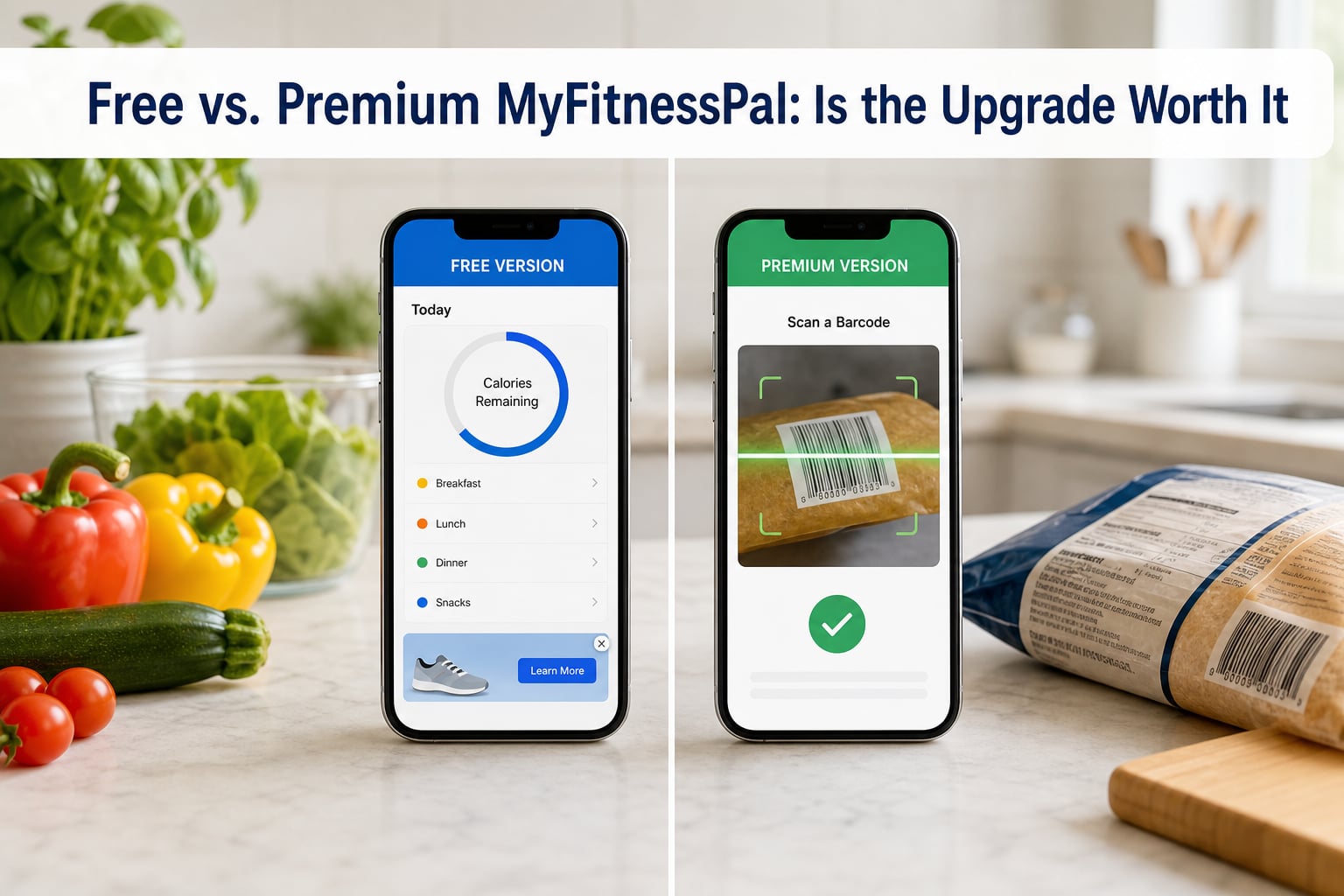
MyFitnessPal Premium is worth it if you log meals every day, track macros precisely, or get frustrated by ads. For casual trackers who just want a rough calorie count, the free version is still genuinely useful. I spent 30 days testing both tiers side by side, and the short answer is that the upgrade pays off only when tracking becomes a daily habit.
I’ll walk you through what each version actually does, where the free edition holds up, and where the premium features earn their price tag. By the end, you’ll know exactly which tier fits your goals.
Table of Contents
- Quick Verdict: Is MyFitnessPal Premium Worth It?
- What You Get With the Free Version of MyFitnessPal
- Premium Features: What the Upgrade Unlocks
- MyFitnessPal Pricing: Monthly vs Annual Plans
- Free vs Premium: Feature-by-Feature Comparison
- Who Should Upgrade to MyFitnessPal Premium
- Real User Pain Points From Reddit Communities
- MyFitnessPal vs MacroFactor: When a Switch Makes Sense
- Frequently Asked Questions
- Final Verdict: Should You Upgrade?
Quick Verdict: Is MyFitnessPal Premium Worth It?
Yes, MyFitnessPal Premium is worth the upgrade for frequent loggers who want precision macros and faster food entry. No, it is not worth it if you track food a few times a week and only need a calorie ballpark.
Here’s the takeaway in one line. Premium pays for itself when the features save you time every single day. If you open the app less than three times a week, the free tier covers everything you need.
What You Get With the Free Version of MyFitnessPal
The free version of MyFitnessPal is a fully functional calorie tracker that has helped millions of people lose weight. You can log meals, set a calorie goal, track basic macros, and log exercise. The app also includes a database of over 11 million foods, which is more than enough for everyday tracking.
Where the free version falls short is in the daily experience. You will see banner ads at the bottom of your screen, occasional full-screen ads between logging sessions, and prompted offers to upgrade. Some users find this disruptive, especially when they are trying to build a quick logging habit.
The biggest gap in the free tier is the absence of the barcode scanner. Back in 2022, MyFitnessPal removed this feature from the free version. If you eat a lot of packaged foods, this is a real friction point. You can still search the database manually, but it takes longer.
Another limitation is how macros work in the free version. You can set macro targets, but only as percentages of your total calories. You cannot enter specific gram targets for protein, carbs, or fat. For most people, this is fine. For anyone training for a specific goal, it can feel restrictive.
The free version also limits Quick Add to calories only. Customizable meal and food entries, advanced reports, and data export are all locked behind the premium paywall.
Free Version Highlights
- Full access to the 11 million food database
- Calorie tracking with basic macro percentages
- Exercise logging with calorie adjustments
- Weight tracking and basic progress charts
- Community recipes and shared meals
Free Version Limitations
- No barcode scanner (removed in 2022)
- Ads on home screen and during logging
- Macros only by percentage, not grams
- Quick Add limited to calories only
- No data export or CSV download
Premium Features: What the Upgrade Unlocks
MyFitnessPal Premium unlocks the tools that make daily tracking faster and more precise. The most talked-about feature is the barcode scanner, which lets you log a packaged food in seconds by pointing your phone camera at the label. Users on Reddit regularly report that this alone cuts their logging time in half.
Meal scan is the second time-saver. You snap a photo of your plate, and the app attempts to identify the foods and estimate portions. In my testing, it worked well on whole foods like grilled chicken, rice, and vegetables. It struggled with mixed dishes, restaurant plates, and anything covered in sauce.
Premium also lets you set macros by gram. Instead of telling the app you want 40% protein, you set 165 grams of protein directly. This is the difference between guesswork and precision for any athlete or bodybuilder tracking toward a specific composition goal.
Custom goals by day is another premium perk. You can have a higher calorie target on training days and a lower one on rest days. The free version forces you to use one goal for all seven days.
Premium also removes all ads. The home screen shows your data without any promotional banners. For users who log multiple times a day, this alone can feel like a major upgrade.
The intermittent fasting timer, net carbs mode, food insights, and priority customer support round out the premium tier. Premium also unlocks full data export, so you can download your logs as a CSV file and analyze them in Excel or Google Sheets.
Premium-Only Features
- Barcode scanner for packaged foods
- Meal scan with photo recognition
- Macro targets by gram (not just percentage)
- Custom goals by day of the week
- Ad-free experience across the entire app
- Intermittent fasting timer
- Net carbs mode for keto trackers
- Data export to CSV
- Priority customer support
- Advanced food insights and reporting
MyFitnessPal Pricing: Monthly vs Annual Plans
MyFitnessPal Premium costs around $19.99 per month or $79.99 per year in the 2026 pricing. The annual plan works out to roughly $6.67 per month, which is about 67% cheaper than going monthly. There is also a Premium+ tier at $99.99 per year that adds guided workouts and a few extra coaching tools.
The annual plan is the obvious choice if you decide to upgrade. Most people who committed to tracking for 30 days or more in our testing kept the subscription for at least six months. Monthly plans make sense if you only need premium for a specific short-term goal, like a 12-week cut.
There are a few ways to get MyFitnessPal Premium cheaper. The app frequently offers a 1-month free trial for new users, and the annual plan sometimes drops to $49.99 during promotions. Health insurance and wellness programs through your employer may also cover the cost. Some users have successfully negotiated retainers via the App Store subscription settings.
Free vs Premium: Feature-by-Feature Comparison
The table below shows the key differences between the free and premium versions of MyFitnessPal side by side. Use it as a quick reference when deciding whether to upgrade.
| Feature | Free | Premium |
|---|---|---|
| Food database access | Full | Full |
| Calorie tracking | Yes | Yes |
| Macro tracking by gram | No | Yes |
| Macro tracking by percentage | Yes | Yes |
| Barcode scanner | No | Yes |
| Meal scan (photo log) | No | Yes |
| Custom goals by day | No | Yes |
| Quick Add calories | Yes | Yes |
| Quick Add macros | No | Yes |
| Ads | Yes | None |
| Intermittent fasting timer | No | Yes |
| Net carbs mode | No | Yes |
| Data export (CSV) | No | Yes |
| Priority support | No | Yes |
| Advanced reports | No | Yes |
Who Should Upgrade to MyFitnessPal Premium
Premium is the right call if you fall into one of these categories. The first is anyone who logs food more than four times a day. The barcode scanner and meal scan features save enough time to justify the cost almost immediately.
The second group is macro-obsessive athletes. If you are running a specific cut or bulk and need to hit a protein gram target every day, the gram-based macro settings are not optional. The free version’s percentage-only system makes precise tracking impossible.
The third group is anyone who has tried the free version and quit because the ads were too disruptive. Users on the r/Myfitnesspal subreddit regularly cite ad interruptions as their reason for abandoning tracking. Premium removes that friction entirely.
You should also consider premium if you need your data outside the app. Coaches, nutritionists, and anyone who wants to analyze their own data in a spreadsheet will benefit from the CSV export feature.
Real User Pain Points From Reddit Communities
The r/Myfitnesspal community offers an honest look at real user frustrations. The most common complaint about the free version is the ad placement. Users report that ads interrupt the logging flow and make the app feel cluttered.
Database accuracy is another recurring concern. MyFitnessPal relies heavily on user-contributed food entries, which means calorie counts can be off by 10% or more for some database items. Several long-time users mentioned that they now cross-check entries against USDA data before trusting them.
Many users also feel locked into MyFitnessPal because of their historical data. Even if they want to switch apps, the thought of losing years of food logs is a strong deterrent. If you are considering a switch, the premium data export feature becomes especially valuable because it lets you take your data with you.
Despite the complaints, the overall sentiment is that the free version is still solid for casual trackers. Premium is worth it for daily users and macro-precise athletes, but not for everyone.
MyFitnessPal vs MacroFactor: When a Switch Makes Sense
MacroFactor is the most common alternative mentioned in user discussions. It costs around $11.99 per month or $71.99 per year, which is comparable to MyFitnessPal Premium. The big difference is the underlying approach to calorie counting.
MacroFactor uses an algorithm that learns your metabolism over time and adjusts your calorie targets automatically. MyFitnessPal, by contrast, asks you to set a goal and stick to it. For users who find calorie math confusing, MacroFactor can be a better experience.
MacroFactor is also completely ad-free even on its lower tier, which is one of the main reasons users switch. If ad-free tracking is your priority and you want a smarter algorithm, MacroFactor is worth considering. If you want the largest food database and the most established community, MyFitnessPal still wins.
Frequently Asked Questions
Is MyFitnessPal Premium worth it?
MyFitnessPal Premium is worth it if you log food every day, track macros precisely, or want the barcode scanner and meal scan features. For casual trackers who only need a rough calorie count, the free version is sufficient.
What are the key differences between MyFitnessPal Premium and free?
The main differences are the barcode scanner, meal scan, macros by gram, ad-free experience, custom goals by day, intermittent fasting timer, and CSV data export. Premium unlocks all of these while the free version keeps basic calorie tracking and percentage-based macros.
How much does MyFitnessPal Premium cost?
MyFitnessPal Premium costs around $19.99 per month or $79.99 per year. The annual plan saves about 67% compared to paying monthly. Promotional discounts and free trials are frequently available.
Is there a way to get MyFitnessPal Premium for cheaper?
Yes. Look for the free trial for new users, watch for annual plan promotions that drop the price to around $49.99, check if your employer offers a wellness subsidy, or use the App Store subscription sharing settings to find regional discounts.
Is anything better than MyFitnessPal?
MacroFactor is a strong alternative for users who want a smarter calorie algorithm and an ad-free experience. Cronometer is better for users who want verified USDA data instead of user-contributed entries. MyFitnessPal still has the largest food database and the most recipe community.
Final Verdict: Should You Upgrade?
The MyFitnessPal Premium upgrade is worth it for daily trackers, macro-precise athletes, and anyone who wants the barcode scanner and an ad-free experience. If you track food a few times a week and only care about calorie totals, the free version is still genuinely useful and will not hold you back.
My honest recommendation is to start with the free version for 30 days. If you find yourself logging consistently, upgrade to the annual plan and use the barcode scanner to save time. If tracking feels like a chore, the free version is enough. Either way, the worst decision is not tracking at all.