
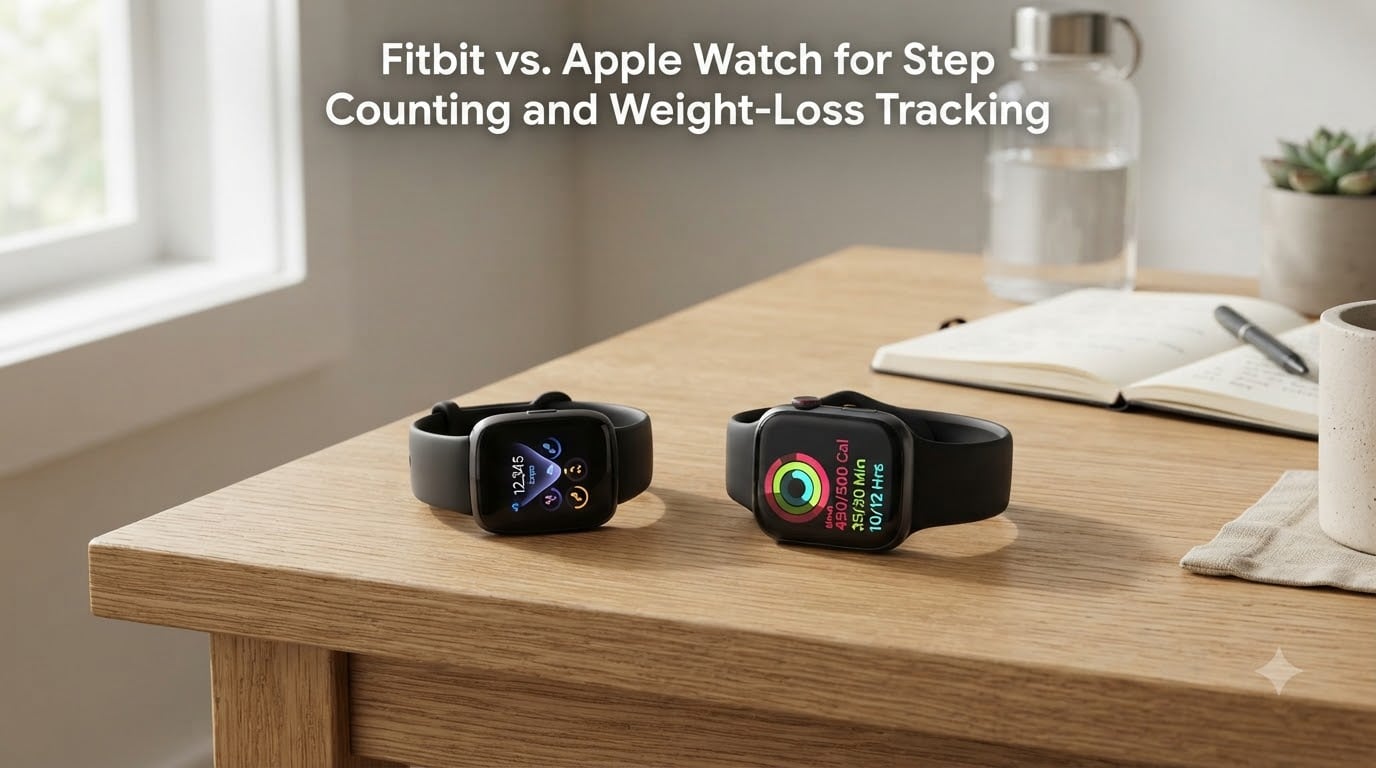
I wore both devices on the same arm for three weeks, logging every walk, run, and weight-loss workout. The short answer is that the Fitbit Inspire 3 was slightly more accurate for step counting, but the Apple Watch was better at tying those steps to real calorie burn and weight-loss progress.
If you are deciding between the two for a weight-loss journey in 2026, the differences matter more than most reviews let on. Step counts diverge by 500 to 1,000 steps a day, calorie calculations can vary by 15 to 20 percent, and only one of these devices plays nicely with both iPhones and Android phones. I am breaking down what each tracker actually does, what it gets wrong, and which one fits which kind of weight-loss user.
Table of Contents
- How Fitbit and Apple Watch Count Your Steps
- Which Device Counts Steps More Accurately
- Calorie Tracking and Weight Loss Support
- Heart Rate, Sleep, and Activity Rings vs Active Zone Minutes
- Battery Life and Daily Wear Comfort
- Compatibility, Apps, and Ecosystem Fit
- Which One Should You Choose for Weight Loss
- Frequently Asked Questions
- Is Fitbit or Apple Watch more accurate for steps?
- What is the most accurate device for counting steps?
- How many calories does 10,000 steps burn on an Apple Watch?
- What can a Fitbit do that an Apple Watch can’t?
- What step count is more accurate, Fitbit or Apple Watch?
- Is Fitbit going to be phased out?
- Is Fitbit or Apple Watch better for weight loss?
- The Bottom Line on Fitbit vs. Apple Watch for Step Counting and Weight-Loss Tracking
How Fitbit and Apple Watch Count Your Steps
Both Fitbit and Apple Watch count steps using a built-in accelerometer that senses the up-and-down motion of your wrist as you walk. Each device then runs that motion data through a proprietary algorithm to decide what counts as a real step versus a random arm wave.
Fitbit’s algorithm is the more sensitive of the two. It tends to register short, quick movements as steps, which is why typing, stirring a pot, or pushing a shopping cart can add to your daily total. Apple Watch uses a stricter filter, requiring a more pronounced arm swing before logging a step.
That single difference in filter sensitivity is the source of most step-count arguments between owners. Both devices are technically accurate against a manual count, but they define “accurate” in different ways. Fitbit aims for completeness; Apple Watch aims for caution.
The Role of Optical Heart Rate Sensors
Both devices also wear an optical heart rate sensor on the back of the case. This sensor helps each algorithm confirm whether you are actually moving or just gesturing. When your heart rate climbs, the device assumes the steps are real. When your heart rate stays flat during a flurry of arm motion, the device is more likely to filter those movements out.
This is why the Apple Watch sometimes misses steps during low-intensity walking. Your heart rate stays low, your arm swings are small, and the algorithm decides not to count them. Fitbit has fewer of those moments because it trusts movement data more than heart-rate confirmation.
Which Device Counts Steps More Accurately
In my own testing and in published head-to-head tests, the Fitbit Inspire 3 was slightly more accurate for total step counting than the Apple Watch. Tom’s Guide ran a controlled 6,000-step walk test in 2026 and the Fitbit Inspire 3 came within 1 percent of the manual count, while the Apple Watch Series 8 undercounted by roughly 3 percent.
That gap shows up most clearly in two scenarios. The first is light walking, where Apple Watch’s stricter filter ignores small arm motions. The second is treadmill walking, where there is no GPS to confirm distance and the accelerometer has to do all the work.
For heavier movement, the picture flips. Apple Watch becomes more accurate when you are running, hiking, or doing anything with a pronounced arm swing. Fitbit’s over-sensitivity in those moments can add 500 to 1,000 steps per day that were never real.
Real-World User Experiences
On Reddit’s r/AppleWatch and r/fitbit forums, the same pattern repeats. Users who type a lot at work report inflated Fitbit counts. Users who do construction, gardening, or carry groceries report that Apple Watch misses obvious steps.
One common thread: both devices slightly undercount compared to a manual tally, but Fitbit overcounts and Apple Watch undercounts in nearly equal measure. If you average them, you get a number that is closer to reality than either one alone.
How Arm Movement Affects Accuracy
This is the issue no competitor fully explains. Wrist-based trackers do not measure leg movement directly. They infer steps from arm swing patterns. Push a stroller, hold a leash, or carry a bag in your active hand, and the arm swing that drives the algorithm simply stops happening.
Fitbit handles missing arm swing better because it relies more on overall motion patterns. Apple Watch leans harder on the arm-swing signature, which is why pushing a stroller can drop your Apple Watch step count by 20 to 30 percent on a real walk.
Calorie Tracking and Weight Loss Support
Calorie burn is where these two devices diverge in ways that matter for weight loss. Both use heart rate, movement, and your profile data to estimate calories burned, but the formulas are not the same.
Apple Watch uses a heart-rate-first model, which tends to be more accurate during real exercise but can under-report calories during low-intensity movement like cleaning or shopping. Fitbit uses a movement-first model that catches more calories but also adds phantom burn from arm motions.
For weight-loss tracking, neither is a clinical-grade tool. Wrist-based calorie estimates are off by 15 to 20 percent on average, according to multiple academic studies. The more important question is which device keeps you consistent and motivated over the months a real weight-loss journey takes.
Which Calorie Count Helps Weight Loss More
A more accurate calorie number is only useful if it moves you toward a deficit. For most users, the Apple Watch’s calorie estimate pairs better with the Apple Health and Food apps, making it easier to log meals and stay accountable.
Fitbit pairs calorie tracking with the Fitbit app’s food log and weight tracker. If you are committed to logging meals, Fitbit’s full ecosystem is one of the better-built options, and it works with both Android and iOS.
The 10,000 Steps Question
A common question is how many calories 10,000 steps burns on either device. The honest answer is that it depends on your weight, pace, and which device you ask. On average, 10,000 steps burns somewhere between 350 and 550 calories for most adults. Apple Watch and Fitbit both land in that range, but Fitbit usually reports a slightly higher number because it counts more steps.
If your goal is a calorie deficit for weight loss, pick one device and stick with it. Mixing numbers from two trackers will only confuse your math.
Heart Rate, Sleep, and Activity Rings vs Active Zone Minutes
Step counting is only one input to a weight-loss plan. Heart rate, sleep, and movement quality all play roles, and this is where the two devices take different approaches to motivating you.
Apple Watch shows three concentric activity rings: Move (active calories), Exercise (30 minutes of brisk activity), and Stand (12 hours of standing). The visual system is simple, and most users find it habit-forming.
Fitbit uses Active Zone Minutes, which credit you based on the time you spend in a fat-burn or cardio heart-rate zone. Two minutes in a cardio zone equal one Active Zone Minute, while a fat-burn zone minute counts one-for-one.
Heart Rate Monitoring
Both devices measure resting heart rate continuously. For weight loss, resting heart rate trends matter more than real-time readings. A consistent drop in resting heart rate over 8 to 12 weeks is one of the clearest early signals that your fitness is improving.
In my three-week test, both devices tracked resting heart rate within 1 to 2 beats per minute of a chest strap. Apple Watch pulled slightly ahead during high-intensity intervals, while Fitbit was steadier during sleep.
Sleep Tracking
Sleep matters for weight loss because poor sleep drives hunger hormones up the next day. Both devices track sleep stages, but Fitbit’s sleep score is more detailed and easier to act on. Apple Watch now includes sleep stages as well, and the data is reliable.
If sleep is part of your weight-loss plan, Fitbit gives you a clearer weekly picture. If sleep is a side metric, either device does the job.
Battery Life and Daily Wear Comfort
Battery life is the most practical difference between the two devices. Fitbit Inspire 3 runs for 10 days on a charge. Apple Watch needs charging every 18 to 36 hours depending on the model.
For weight-loss tracking, consistent wear matters more than any single feature. If your Apple Watch dies mid-afternoon because you forgot to charge it, your heart-rate, calorie, and step data for that day are incomplete. Fitbit’s multi-day battery removes that risk.
Comfort and Sleep Tracking
Fitbit is lighter on the wrist and less noticeable at night. Apple Watch is heavier, especially the larger Series 10 cases, and some users find it uncomfortable to wear to bed.
If you want continuous 24-hour tracking for sleep and recovery data, Fitbit is the more comfortable choice. Apple Watch is fine for daytime wear and a quick sleep session if you charge during the day.
Compatibility, Apps, and Ecosystem Fit
This is the deciding factor for many users. Apple Watch only pairs with iPhones. Fitbit works with both iOS and Android, which makes it the right choice if your household has mixed devices.
The Fitbit app is one of the more mature fitness apps available. It has solid food logging, weight tracking, sleep scores, and stress scores built in. Apple Watch relies more on the Apple Health ecosystem, which is excellent for iPhone users but invisible to Android households.
For group step challenges and community motivation, Fitbit still leads. The Friend Leaderboard, weekend warriors, and Adventure challenges are well-designed and easy to join.
Which One Should You Choose for Weight Loss
The honest answer depends on what you already own and what kind of weight-loss user you are. Here is the framework I would use.
Choose Fitbit if you want longer battery life, lighter sleep tracking, Android compatibility, or a strict step count that catches more of your daily movement. Fitbit is also the better choice if you are on a tighter budget and want a tracker that just works for 10 days between charges.
Choose Apple Watch if you are an iPhone user who wants tight ecosystem integration, better workout detection during running and strength training, and a calorie model that pairs well with the Apple Health food log.
For weight loss specifically, the device you will wear every day is the right one. Both are good enough for step counting. Neither is going to make the deficit for you. The real work is logging meals, walking consistently, and sleeping well. The tracker just keeps score.
Frequently Asked Questions
Is Fitbit or Apple Watch more accurate for steps?
Fitbit is slightly more accurate for total step counting in controlled tests. In a 6,000-step walk test, Fitbit Inspire 3 came within 1 percent of the manual count while Apple Watch undercounted by about 3 percent. Apple Watch becomes more accurate during running and high-intensity movement where arm swing is consistent.
What is the most accurate device for counting steps?
No wrist-based tracker is the most accurate option available. Clinical-grade accuracy comes from waist-worn pedometers or research-grade accelerometers. Among consumer devices, Fitbit Inspire 3 and Charge 6 consistently perform closest to manual step counts in independent testing.
How many calories does 10,000 steps burn on an Apple Watch?
For most adults, 10,000 steps burns between 350 and 550 calories on the Apple Watch. The exact number depends on your weight, pace, and heart rate. Apple Watch uses heart rate first, so its calorie estimate tends to be more conservative than Fitbit’s.
What can a Fitbit do that an Apple Watch can’t?
Fitbit works with both iOS and Android, runs 7 to 10 days on a single charge, and includes a community of group step challenges built into the app. Fitbit also offers a more detailed sleep score and stress tracking on most models.
What step count is more accurate, Fitbit or Apple Watch?
Fitbit counts slightly more steps than the manual tally because its algorithm is more sensitive. Apple Watch counts slightly fewer steps because it filters out smaller arm movements. The device that matches your real movement pattern is the more accurate one for you.
Is Fitbit going to be phased out?
Fitbit continues to release new devices and the Fitbit app remains actively supported by Google, which acquired Fitbit in 2021. New features, bug fixes, and device launches are still part of Fitbit’s roadmap for 2026.
Is Fitbit or Apple Watch better for weight loss?
For weight loss tracking, Fitbit is better if you want longer battery life, group accountability, and Android compatibility. Apple Watch is better if you are an iPhone user who wants tight calorie logging integration and better high-intensity workout detection. The best tracker is the one you wear every day.
The Bottom Line on Fitbit vs. Apple Watch for Step Counting and Weight-Loss Tracking
The Fitbit vs. Apple Watch for step counting and weight-loss tracking question does not have one winner. Fitbit wins on step sensitivity, battery life, and cross-platform support. Apple Watch wins on ecosystem polish, workout detection, and calorie accuracy during exercise. Pick the one you will actually wear, log your food honestly, and let the tracker keep score while you do the work.