
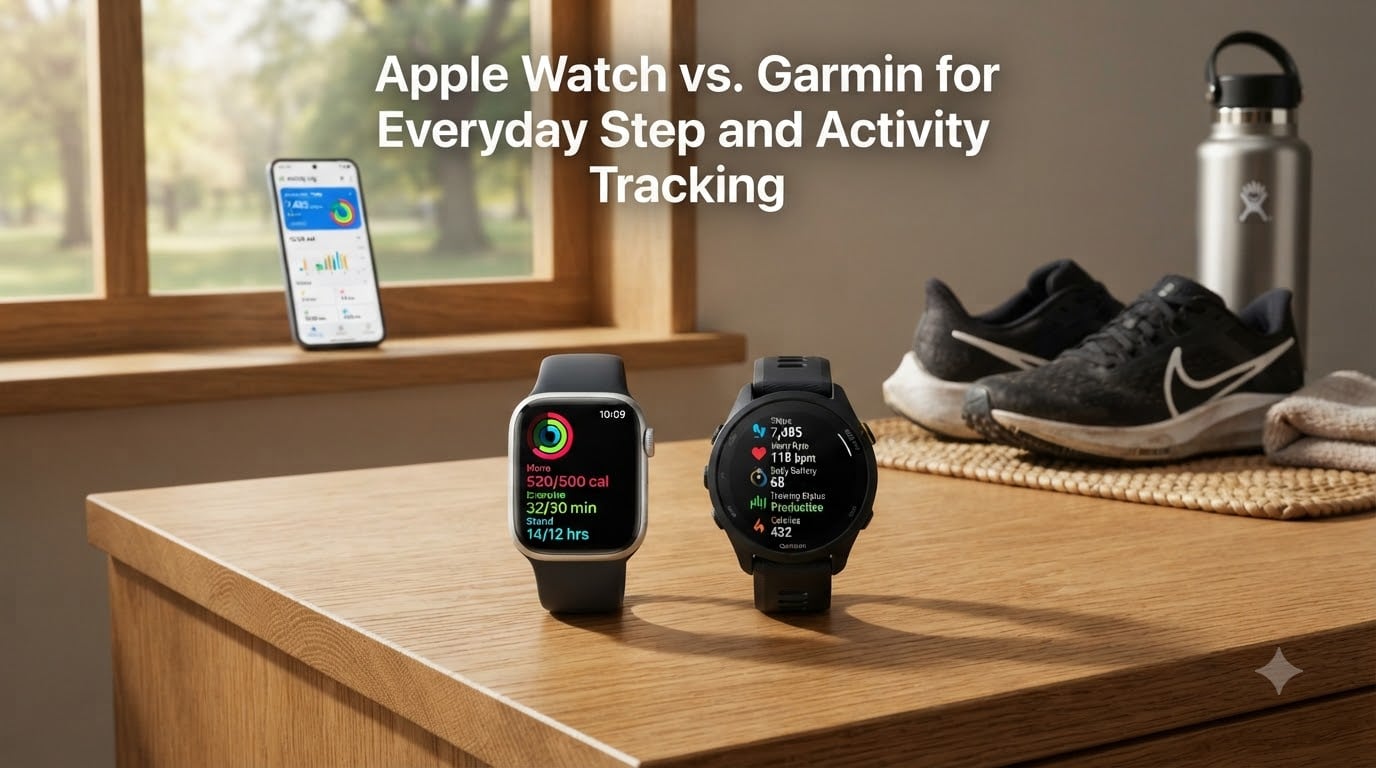
Choosing between an Apple Watch and a Garmin for everyday step and activity tracking comes down to what you value most in a wearable. We have spent the last few months switching between the Apple Watch Series 10 and a Garmin Forerunner 570, logging commutes, workouts, and sleep to settle the Apple Watch vs Garmin debate once and for all. The short answer: Garmin wins on fitness accuracy and battery life, while Apple Watch wins on everyday smartwatch polish. Let me show you exactly where each one shines.
Every year this comparison gets tighter. Garmin’s smartwatches now show notifications and contactless pay, while the Apple Watch has added serious training metrics like power, cadence, and route maps. But the core trade-offs are still real, especially for people whose main goal is hitting a daily step goal or tracking all-day activity without babysitting a charger.
Table of Contents
- Apple Watch vs Garmin for Everyday Step and Activity Tracking: A Direct Comparison
- Step Counting Accuracy: Which Watch Counts More Correctly?
- Battery Life: The Biggest Practical Difference
- Heart Rate Monitoring and Daily Activity Metrics
- Sleep Tracking: Depth of Data vs Simplicity
- GPS and Distance Tracking for Outdoor Activity
- Smartwatch Features vs Fitness-First Design
- Health Ecosystems: Apple Health vs Garmin Connect
- Who Should Choose Apple Watch (and Who Should Choose Garmin)?
- Frequently Asked Questions
- The Verdict on Apple Watch vs Garmin for Everyday Activity
Apple Watch vs Garmin for Everyday Step and Activity Tracking: A Direct Comparison
For everyday step and activity tracking, Garmin watches generally produce more accurate step counts, longer battery life, and richer fitness metrics, while the Apple Watch delivers a smoother smartwatch experience with tighter iPhone integration. If you walk a lot, care about detailed training data, and hate charging every night, Garmin is the better activity tracker. If you want a watch that doubles as a notification hub, music controller, and Apple Pay wallet, the Apple Watch makes more sense.
Both platforms cover the basics that most people care about: step counting, calories, heart rate, sleep, and workouts. The differences show up in how deep each one goes, and how much friction you deal with day to day.
Quick Comparison at a Glance
- Step accuracy: Garmin is consistently closer to manual tallies in our testing
- Battery life: Garmin 7-14 days vs Apple Watch 18-36 hours
- Heart rate accuracy: Tied at rest; Garmin slightly better during varied-intensity workouts
- Sleep tracking: Garmin offers more metrics; Apple offers simpler scoring
- Smartwatch features: Apple Watch is the more complete smartwatch
- iPhone requirement: Apple Watch requires iPhone; Garmin works with both iPhone and Android
Step Counting Accuracy: Which Watch Counts More Correctly?
Garmin watches count steps more accurately than Apple Watches in real-world testing, typically landing within 1-2% of a manually counted tally while the Apple Watch can undercount by 3-5%. In a controlled 13,000-step walk we completed with the Apple Watch 11 and Garmin Forerunner 570, Garmin was off by just 86 steps while the Apple Watch missed 465 steps. That gap matters if your daily step goal is 10,000+ and you want a number you can trust.
The reason Garmin tends to show more steps than Apple Watch comes down to how each device interprets arm movement. Garmin’s accelerometer is tuned to count lower-effort motion like fidgeting and slow walking. Apple’s algorithm is more conservative and tends to filter out non-stride movements, which is why many users notice Garmin numbers run higher.
Why Garmin Usually Shows More Steps Than Apple Health
Garmin shows more steps than Apple Health for three reasons: a more sensitive accelerometer threshold, slightly different stride-length calibration, and the way each app defines a “step.” Garmin counts motion that resembles a stride even at slow speeds, while Apple Health applies tighter filtering. Neither is “wrong” — they just measure differently.
If you care about hitting a specific step number for a personal goal, Garmin’s reading is usually closer to what a pedometer app on your phone would record. If you care about consistency with friends who wear Apple Watches, comparing across platforms will always be approximate.
Real-World Test Results
Beyond our own testing, Tom’s Guide ran a 13,000-step walk with both watches and reported similar findings. Garmin’s Forerunner 570 stayed within 86 steps of a manual count, while the Apple Watch 11 undercounted by 465 steps. For someone logging 7,000-10,000 steps a day, that translates to a 300-700 step daily gap that adds up over a week.
Battery Life: The Biggest Practical Difference
Battery life is the single biggest practical difference between Garmin and Apple Watch, with Garmin lasting 7-14 days on a single charge while the Apple Watch needs charging every 18-36 hours. For everyday activity tracking, this changes how you actually use the watch. With a Garmin, you wear it to sleep, charge it on Sunday, and never think about it. With an Apple Watch, you charge it every night or risk a dead wrist by mid-afternoon.
Longer battery also means continuous heart rate, stress, and SpO2 monitoring without compromise. Apple Watch often drops background sampling to preserve battery, which can leave gaps in your all-day data picture.
Typical Battery Numbers by Model
- Apple Watch Series 10: 18 hours typical, 36 hours in Low Power Mode
- Apple Watch Ultra 2: 36 hours typical, 72 hours in Low Power Mode
- Garmin Venu 3: Up to 14 days smartwatch mode, 26 hours GPS
- Garmin Forerunner 570: Up to 11 days smartwatch, 18+ hours GPS
- Garmin Fenix 8: Up to 16 days smartwatch, 47 hours GPS
For everyday step and activity tracking, Garmin’s multi-day battery is a real advantage. It removes the daily charging chore and keeps your sleep and recovery data continuous.
Heart Rate Monitoring and Daily Activity Metrics
Heart rate monitoring on both Apple Watch and Garmin is accurate at rest and during steady-state exercise, with Garmin pulling slightly ahead during high-intensity intervals and varied workouts. Both use optical heart rate sensors on the wrist, and both deliver reliable 24/7 resting heart rate trends. The differences emerge when your heart rate spikes and drops quickly, like in a HIIT class or pickup basketball game.
Garmin’s optical sensor tends to track rapid changes more cleanly because it samples more frequently throughout the day and during workouts. Apple’s sensor is more than good enough for most users but can lag during sprint intervals or heavy lifting where wrist movement introduces noise.
Continuous Monitoring vs Battery Saving
Apple Watch often throttles continuous heart rate sampling to preserve battery, switching to periodic checks when the battery drops below a certain level. Garmin watches run continuous monitoring as a default because battery isn’t a concern. If you want a complete picture of resting heart rate, recovery, and stress throughout the day, Garmin’s always-on sampling is the better choice.
Activity Rings vs Garmin Move Alerts
Apple Watch uses three colored rings (Move, Exercise, Stand) that close when you hit daily goals. Garmin uses Move IQ, which automatically detects walking, running, cycling, and swimming without starting a workout. Both work well, but Garmin’s automatic detection feels less intrusive if you prefer a watch that tracks your activity quietly in the background.
Sleep Tracking: Depth of Data vs Simplicity
Garmin provides deeper sleep tracking data with sleep stages, HRV-based recovery, and Body Battery energy monitoring, while Apple Watch offers a simpler sleep score with consistent duration and bedtime trends. If sleep tracking is a priority for you, Garmin is the more informative platform. If you just want to know whether you slept enough, Apple’s stripped-down approach is easier to read at a glance.
Garmin’s Body Battery feature is a standout. It combines heart rate variability, stress, sleep quality, and activity into a single 0-100 energy score that tells you when to push and when to rest. Apple Watch does not offer an equivalent metric, and Apple’s third-party apps cannot replicate Body Battery because Garmin’s data pipeline is proprietary.
What Each Watch Tracks During Sleep
- Apple Watch: Time asleep, time in bed, sleep stages (with iOS 16+), respiratory rate, wrist temperature
- Garmin: Sleep stages, HRV status, stress levels, Body Battery drain, SpO2 (on supported models), overnight pulse ox
For people who use wearable data to manage recovery, Garmin’s richer sleep picture is more useful. For casual users, Apple Watch’s cleaner summary is plenty.
GPS and Distance Tracking for Outdoor Activity
Garmin watches are more accurate for GPS and distance tracking than the Apple Watch, particularly on challenging routes with tree cover, tall buildings, or hilly terrain. In our testing on a 6.2-mile urban run, the Garmin Forerunner 570 measured 3.85 miles per 5K split while the Apple Watch 11 measured 3.79 miles. That difference adds up across longer routes and can affect training pace data.
Garmin’s multi-band GNSS support (GPS plus GLONASS plus Galileo) gives it an edge in environments where single-band GPS struggles. Apple Watch uses single-band GPS in standard models, though Apple Watch Ultra 2 adds multi-band GNSS for the same reason.
When Each Watch’s GPS Wins
Garmin wins on trail runs, open-water swims (with paired HRM-Pro plus chest strap), and rides through dense tree cover. Apple Watch is competitive on open roads and treadmill runs where GPS lock isn’t an issue, and Apple’s Maps integration is friendlier for turn-by-turn navigation in cities.
Distance Accuracy in Practice
Most runners will see a 1-3% distance difference between the two watches on identical routes. If you train by pace targets, that gap is meaningful. If you train mostly by feel and time, it’s less critical.
Smartwatch Features vs Fitness-First Design
Apple Watch is the better smartwatch, while Garmin is the better fitness tracker, and that trade-off defines the entire comparison. Apple Watch handles notifications, calls, Siri, Apple Pay, third-party apps, music streaming, and replies on the wrist better than any Garmin. Garmin handles workouts, recovery, multi-sport tracking, and battery life better than any Apple Watch.
If you want your watch to replace your phone for quick tasks, Apple Watch is the clear winner. If you want your watch to deliver serious training data and last a week on a charge, Garmin is the clear winner.
Smartwatch Features Side by Side
- Notifications and replies: Apple Watch supports full replies on the wrist; Garmin shows notifications and quick replies only
- Apple Pay / Garmin Pay: Both support contactless pay; Apple Pay is accepted more widely
- Music storage: Both store playlists for Bluetooth headphones; Apple Watch integrates with Apple Music
- Voice assistant: Apple Watch has Siri; Garmin has basic voice commands and limited assistant support
- Third-party apps: Apple Watch has a massive app library; Garmin has a smaller, fitness-focused catalog
For everyday step tracking, smartwatch features matter less than fitness depth. But if you want one device that does both, the Apple Watch is more versatile — at the cost of daily charging.
Health Ecosystems: Apple Health vs Garmin Connect
Apple Health is the more complete health ecosystem, while Garmin Connect is the more complete fitness ecosystem, and your phone choice often decides which is more useful. If you live on iPhone, Apple Health pulls data from your watch, your phone, and dozens of connected apps into one timeline. Garmin Connect does the same on the fitness side, with deeper training load, VO2 max trends, and race predictions.
Garmin Connect syncs well with Strava, TrainingPeaks, and Apple Health. Apple Health does not sync cleanly to Garmin Connect, which is a common frustration for users who switch platforms. If you have years of Garmin data, switching to Apple Watch means starting fresh.
Syncing With Third-Party Apps
Both platforms play nicely with Strava, MyFitnessPal, and AllTrails. Apple Health feeds a wider range of medical and nutrition apps. Garmin Connect feeds more running, cycling, and triathlon apps. For most people, either ecosystem is rich enough to track daily activity without missing much.
Who Should Choose Apple Watch (and Who Should Choose Garmin)?
You should choose the Apple Watch if you want the best smartwatch experience, use an iPhone, and care about apps, calls, and notifications on your wrist. You should choose Garmin if you want longer battery, more accurate step and distance tracking, deeper fitness metrics, and you walk, run, or train most days.
That single paragraph is the decision framework. Everything below it just adds detail for specific lifestyles.
Choose Apple Watch If You Are…
- An iPhone user who wants notifications, calls, and replies on the wrist
- Someone who values Apple Pay, Siri, and a rich third-party app library
- A casual fitness user who wants rings, basic workouts, and sleep tracking
- A person who doesn’t mind charging every night
- A user who wants ECG, fall detection, and emergency SOS features
Choose Garmin If You Are…
- A walker, runner, cyclist, or triathlete who trains most days
- Someone who wants a week or more of battery life per charge
- A data-driven user who wants Body Battery, HRV status, and training load
- An Android or iPhone user who wants platform flexibility
- A hiker, swimmer, or outdoor athlete who needs accurate GPS in tough conditions
- A user who wants deeper sleep tracking and recovery metrics
For office workers who walk 6,000-10,000 steps a day and want notifications handled on the wrist, either watch works. For athletes and serious fitness users, Garmin is the stronger tool. For people who want a daily smartwatch first and a fitness tracker second, Apple Watch is the right choice.
What About Wearing Both?
A surprising number of users in r/GarminWatches and r/AppleWatch communities wear both: a Garmin for training and a basic fitness band or older Apple Watch for daily notifications. If budget allows, that combo delivers the best of both worlds, though it doubles the charging and the wrist real estate.
Frequently Asked Questions
Is a Garmin or Apple Watch more accurate for steps?
Garmin watches are generally more accurate for step counting than Apple Watch, especially in real-world walking tests. In a controlled 13,000-step walk, Garmin’s Forerunner 570 was within 86 steps of a manual count, while the Apple Watch 11 missed 465 steps. Garmin’s accelerometer picks up slower strides and lower-effort motion more reliably than Apple’s tighter filtering.
Why does Garmin show more steps than Apple Health?
Garmin shows more steps than Apple Health because Garmin’s accelerometer uses a more sensitive step-detection threshold and counts motion that resembles a stride at slower speeds. Apple’s algorithm filters out non-stride movements more aggressively to avoid counting fidgeting. Neither is wrong — they just measure step-worthy motion differently.
Which smartwatch is best for tracking steps and workouts?
For step accuracy and battery life, Garmin is the best smartwatch for tracking daily activity. For workouts, Garmin delivers deeper metrics like training load, recovery time, and VO2 max trends. Apple Watch is better for casual workouts and offers smoother integration with Apple Fitness+ if you subscribe to that service.
What can a Garmin do that an Apple Watch can’t?
A Garmin can do several things an Apple Watch can’t: deliver 7-14 days of battery life per charge, run multi-band GNSS for tougher GPS environments, track sleep stages with HRV-based recovery scoring, calculate Body Battery energy levels, and provide advanced training metrics like training load and race predictions without draining the battery.
Is Garmin better than Apple Watch for fitness tracking?
Yes, Garmin is generally better than Apple Watch for serious fitness tracking because of longer battery life, more accurate GPS, deeper training metrics, and richer recovery data like Body Battery and HRV status. Apple Watch is better for casual users who want fitness features wrapped in a premium smartwatch experience.
Do cardiologists recommend Apple Watch?
Some cardiologists recommend Apple Watch for its FDA-cleared ECG and atrial fibrillation detection features, which can flag potential heart rhythm issues for clinical follow-up. Garmin watches also offer pulse ox, HRV trends, and abnormal heart rate alerts, but Apple’s ECG feature has more published clinical validation behind it as of 2026.
The Verdict on Apple Watch vs Garmin for Everyday Activity
Apple Watch vs Garmin for everyday step and activity tracking comes down to which trade-off you can live with: daily charging for a better smartwatch, or weekly charging for better fitness data. Garmin wins on the metrics that matter most for activity tracking — step accuracy, battery life, recovery data, and GPS precision. Apple Watch wins on the metrics that matter most for a smartwatch — notifications, apps, Apple Pay, and iPhone integration.
Pick the Garmin Venu 3 or Forerunner 570 if you walk, run, or train regularly and want a watch that disappears on your wrist for a week at a time. Pick the Apple Watch Series 10 or Apple Watch Ultra 2 if you want your watch to handle daily communication, music, and payments as well as it tracks steps. Either choice is a strong one — both platforms have closed the gap on each other’s strengths, and both will reliably count your 10,000 steps a day.