
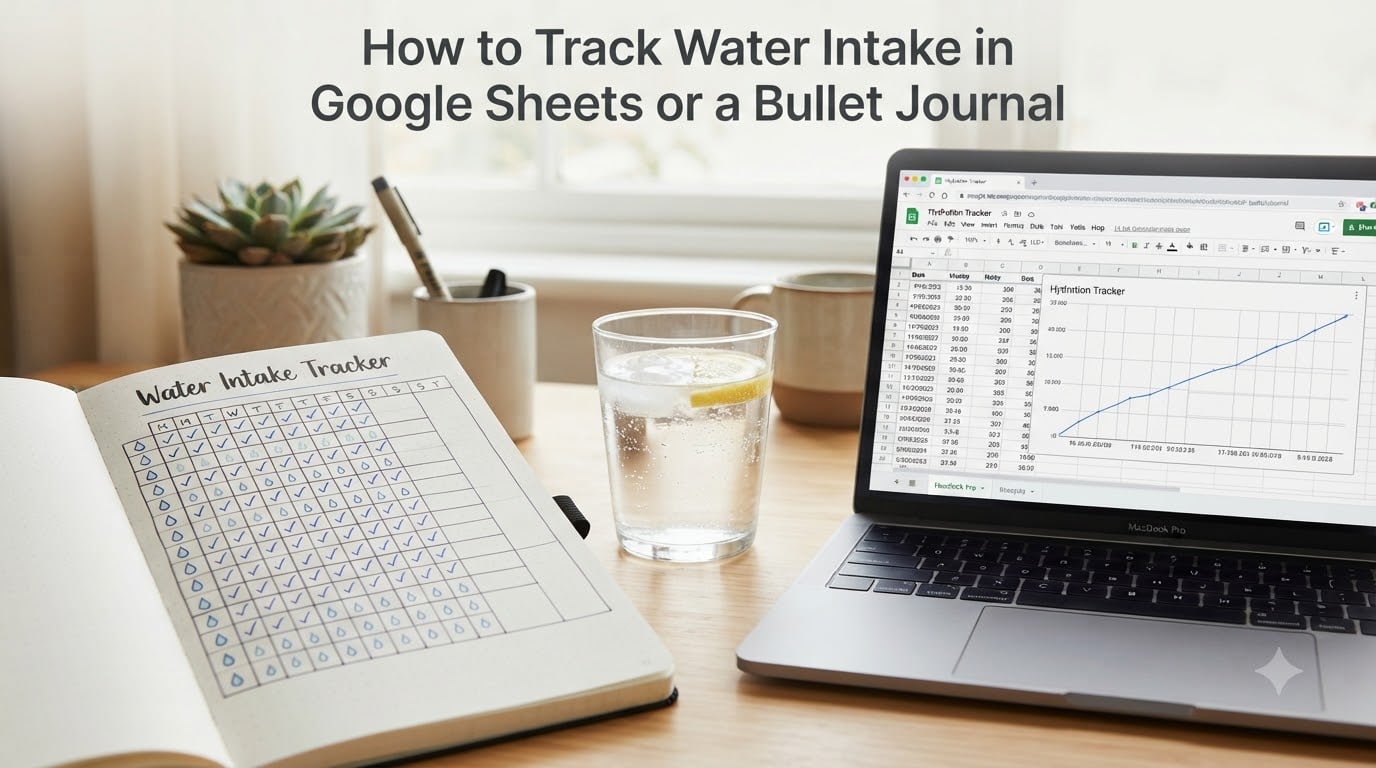
Tracking your daily water intake is one of the simplest habits that pays off fast. I started tracking my own water in a bullet journal three years ago, and within a few weeks I noticed better focus at work and fewer afternoon headaches. In this guide, I’ll walk you through how to track water intake in two reliable systems: a paper bullet journal and Google Sheets. Pick whichever fits your style — both work.
Table of Contents
- Why Track Water Intake Every Day
- How Much Water Should You Drink Each Day
- How to Track Water Intake in a Bullet Journal
- How to Track Water Intake in Google Sheets
- Bullet Journal vs Google Sheets: Which Method Is Right for You
- Tips to Build the Habit and Common Mistakes to Avoid
- Frequently Asked Questions
- Final Thoughts on Tracking Your Daily Hydration
Why Track Water Intake Every Day
Most people underestimate how little they actually drink. A 2023 CDC survey found that 43 percent of adults drink fewer than 4 cups of water a day — well below the recommended amount. The fix starts with awareness, and awareness starts with a tracker.
Here are the real benefits I (and thousands of users on r/bujo) have noticed:
- Better weight loss results. Drinking water before meals reduces snacking and supports fat metabolism.
- Sharper focus and energy. Even 2 percent dehydration drops your concentration noticeably.
- Clearer skin and fewer headaches. Hydration shows up on your face within days.
- Visible patterns over time. A hydration tracker reveals the days you under-drink (busy Mondays, late meetings, etc.).
One user on r/bulletjournal summed it up well: “I started tracking water alongside mood, and I finally saw why I always felt sluggish on Wednesdays — I was barely drinking.” That kind of insight is what makes a water log worth keeping.
How Much Water Should You Drink Each Day
The classic advice is 8 cups (about 2 liters or 64 ounces) per day. That works for most adults with average activity. Your real number depends on three things:
- Body weight. A simple rule: drink half your body weight in ounces (a 150 lb person aims for 75 oz).
- Activity level. Add 12 oz for every 30 minutes of intense exercise.
- Climate. Hot or dry environments push the number up.
Pick the unit that feels easiest to log. I use cups because my water bottle holds exactly 2 cups. Some prefer ounces; others go metric with milliliters. Use whatever makes the math simple, because the goal is consistency, not precision.
How to Track Water Intake in a Bullet Journal
The bullet journal method is analog, visual, and oddly satisfying. Here’s the step-by-step setup that works for beginners and experienced journalers alike.
Step 1: Draw a simple grid on a fresh page
Create a 7-column by 8-row grid (7 days across the top, 8 cups down the side). Each small square represents one cup of water. I keep mine on the same page as my daily log so I always see it when I open my journal.
Step 2: Label the days and your goal
Write each day of the week at the top. In the top right corner, write your daily goal (e.g., “Goal: 8 cups”). Some journalers color-code the final square gold or fill it with a water-droplet doodle to make the goal feel like a small celebration.
Step 3: Choose your marking style
Pick one of these three popular methods and stick with it:
- Checkmark or X for each cup as you finish it.
- Color fill — fill the square with blue marker for each glass, building a gradient through the week.
- Droplet doodle — draw a tiny water drop in each square. It’s slower but beautiful.
Step 4: Update it throughout the day
This is where most beginners fail. I keep my water bottle next to my journal so every refill triggers a mark. If you forget, set a phone reminder for mid-morning, lunch, and mid-afternoon.
Step 5: Review at the end of each week
Sunday night, flip back through the spread. You’ll see patterns fast — Mondays are usually my worst, Fridays my best. That feedback alone makes the habit stick.
Popular tracker designs to try: hourly checkboxes (24 small squares for the time of day), water-droplet weekly spread, flower-petal tracker where each petal fills as you drink, and simple bar graphs showing weekly totals. All four work; the best one is the one you’ll actually open every day.
How to Track Water Intake in Google Sheets
Google Sheets is the better choice if you want automated calculations, multi-device access, or you just prefer typing over doodling. I switched to a spreadsheet during a busy work season and never went back.
Step 1: Open a new Google Sheet
Go to sheets.google.com, start a blank spreadsheet, and name it “Hydration Tracker 2026” so it’s easy to find later.
Step 2: Set up column headers in row 1
Use these columns:
- A: Date
- B: Cups / ounces logged
- C: Goal (type your daily goal here)
- D: % of goal
- E: Notes (workouts, travel, illness)
Step 3: Enter a simple formula
In cell D2, type: =IF(C2>0, B2/C2, 0). Drag the corner down to copy it for 30 rows (one month). This gives you an instant percentage complete.
Step 4: Add a sum row at the bottom
In row 32, type =SUM(B2:B31) to get the monthly total. You can also create a separate sheet for weekly summaries.
Step 5: Set up automatic reminders
Can Google remind you to drink water? Not directly inside Sheets, but yes — pair Google Calendar with a recurring event. Add three events labeled “Drink water — log it” at 10am, 1pm, and 4pm. Click the event, hit “Add notification,” and pick “30 minutes before.” Now your phone buzzes and you open Sheets in two taps.
Step 6: (Optional) Build a chart
Highlight your date and cups columns, click Insert > Chart, and pick a line chart. Watching the line climb is weirdly motivating. If you want it accessible on the go, the Google Sheets app on Android and iPhone syncs instantly, so you can log a glass from your phone in seconds.
Free Google Sheets templates to copy: search “Google Sheets habit tracker template” and you’ll find dozens of free community templates. The best ones have conditional formatting that turns a cell green once you hit your goal — no math required.
Bullet Journal vs Google Sheets: Which Method Is Right for You
Both systems work. The right one depends on your personality and routine. Use this quick comparison to decide:
- Choose a bullet journal if you enjoy slow, creative mornings, want a screen-free habit, travel light, and like tactile feedback (the scratch of pen on paper).
- Choose Google Sheets if you work at a computer most of the day, want automatic percentages and charts, want to log from your phone, or already track other habits in a spreadsheet.
Both methods let you track water intake accurately. The honest truth from my own experience and what forum users report: the analog method wins on consistency (people who track on paper stick with it longer), while Sheets wins on analysis (the charts show patterns you’d miss on paper). If you’re not sure, try each for two weeks. The one that feels easier is the one to keep.
Tips to Build the Habit and Common Mistakes to Avoid
After three years of tracking and reading hundreds of forum posts, these are the tips that actually move the needle — and the mistakes that quietly kill the habit.
Tips that work:
- Keep the water bottle next to your tracker — visual pairing is everything.
- Pair the habit with something you already do (coffee = log first glass).
- Track only the days you actually try, and forgive zero days. Don’t break the chain emotionally over one missed cup.
- Combine water tracking with mood or energy on the same page to add meaning.
- Review weekly. The Sunday night glance is what turns 7 days of data into a habit.
Common mistakes to avoid:
- Picking a complicated layout that takes 10 minutes to fill in — it won’t survive a busy week.
- Aiming too high. Start at 6 cups and build to 8. The first week of failure kills most trackers.
- Only logging at the end of the day. You’ll forget, then over-estimate. Update as you go.
- Switching systems too quickly. Give each method at least 30 days before deciding.
Frequently Asked Questions
How to make a water tracker in a diary?
Draw a 7-by-8 grid with the days across the top and 8 cups down the side, label your daily goal, and fill in a square every time you finish a glass. Keep the page near where you actually drink so you can mark it immediately.
How do I track my daily water intake?
Pick your unit (cups, ounces, or milliliters), set a daily target, and log each serving as you drink. Use a paper bullet journal for visual tracking, or Google Sheets if you want percentages, charts, and phone access.
Can Google remind me to drink water?
Yes. Add three recurring events in Google Calendar at 10am, 1pm, and 4pm with notifications set for 30 minutes before. Keep your Google Sheets tracker open in a browser tab so you can log instantly when the alert fires.
What to keep track of in a bullet journal?
Beyond water, common bullet journal entries include sleep, mood, exercise, meals, medications, gratitude, and daily to-do lists. Many users combine water and mood on the same spread to spot patterns. Daily logs, monthly habit trackers, and weekly reviews are the core structure.
Final Thoughts on Tracking Your Daily Hydration
Learning how to track water intake is less about the system and more about consistency. A bullet journal gives you tactile feedback and screen-free focus. Google Sheets gives you automatic calculations and phone-friendly logging. Both are proven, both are free, and both beat tracking in your head.
Pick one today, commit to 30 days, and let the small daily marks do the work. By the end of the month you’ll have a clear picture of your hydration — and probably better energy, focus, and sleep to show for it. Start with a single sheet or a single page. The next glass of water is your first log entry.