
Most hydration apps fail within two weeks. Not because you lack willpower, but because a constant stream of generic notifications trains your brain to dismiss them without thinking. I have been there: you install a water tracker, feel motivated for three days, then start swiping away every alert without even reading it.
The problem is not the reminder itself. It is how the reminder is designed. Smart water reminders work differently from the default ping-every-hour approach. They adapt to your routine, connect to habits you already have, and fade into the background instead of fighting for your attention.
In this guide, I will walk you through how to set smart water reminders that actually stick, why standard apps cause alert fatigue, and how to build a hydration system you can maintain for months without wanting to throw your phone across the room.
Table of Contents
Why Smart Water Reminders Matter
Smart water reminders matter because your body’s thirst signal is unreliable and delayed. By the time you actually feel thirsty, you are already mildly dehydrated. Research shows that thirst perception lags behind actual fluid deficit by roughly 1 to 2 percent of body weight, meaning your body sounds the alarm well after the problem starts.
This thirst lag hits certain groups harder than others. Desk workers absorbed in focused tasks can go hours without noticing thirst. Older adults experience a natural decline in thirst sensitivity starting around age 60. People with ADHD and other neurodivergent conditions often report that internal body signals like hunger and thirst simply do not register during periods of hyperfocus.
Without external hydration cues, you are relying on a warning system that fires too late. That is where reminders come in. But not just any reminders.
The difference between a smart water reminder and a dumb one comes down to timing and context. A dumb reminder fires at fixed intervals whether you need it or not. A smart one connects to something you are already doing: finishing a meeting, opening your laptop, walking to the kitchen. This is what behavioral scientists call habit stacking, and it is the foundation of every strategy in this guide.
Getting hydration right affects everything from energy levels and focus to mood and physical performance. Even mild dehydration, around 2 percent of body weight, measurably reduces cognitive performance and reaction time. The goal is not to drink more water in a single sitting. It is to distribute intake across the day in a way your brain actually responds to.
Understanding Alert Fatigue
Alert fatigue is what happens when your brain receives too many notifications and starts treating all of them as background noise. The first few water reminders grab your attention. By day five, you swipe them away before your conscious mind even registers what the alert said.
This is not laziness or lack of discipline. It is a documented neurological response. The brain is wired to filter out repetitive, low-urgency stimuli to conserve attention for genuinely important signals. When your phone pings every 60 minutes with “Drink water!”, your nervous system learns to categorize that alert as ignorable noise.
Forum discussions on Reddit’s r/HydroHomies and r/adhdwomen confirm this pattern over and over. Users describe installing hydration apps, feeling enthusiastic for the first week, then either muting notifications or uninstalling the app entirely. One common thread: people report feeling annoyed by reminders rather than helped by them, especially when alerts interrupt focused work.
The cycle is predictable. You feel guilty about not drinking enough water, so you install an aggressive reminder app. The app sends alerts every 45 minutes. Within days, you start dismissing them automatically. Within two weeks, the app is either muted or deleted. You end up less hydrated than before because the reminder system itself created negative associations with drinking water.
Notification fatigue from water apps does not exist in isolation either. You probably already receive dozens of daily alerts from email, messaging apps, social media, and calendar tools. Adding a water reminder to that pile just makes it one more notification to ignore. The solution is not more alerts. It is fewer, better-timed ones.
Key Principles of Smart Reminders
Smart water reminders follow four core principles that separate them from generic hydration alerts. Understanding these principles before you set up any system will save you from repeating the same cycle of enthusiasm followed by burnout.
Principle 1: Event-Based Beats Time-Based
Time-based reminders fire at fixed intervals: every hour, every 90 minutes, at specific clock times. Event-based reminders fire when something happens: when you sit down at your desk, when you finish a meeting, when you enter the kitchen. Event-based reminders are dramatically more effective because they piggyback on existing routines instead of demanding your attention out of nowhere.
Think about it this way. A reminder that says “Drink water at 10:00 AM” competes with whatever you are doing at 10:00 AM. A reminder tied to “after I close my laptop at the end of a meeting” happens naturally within a flow you are already in. The friction disappears.
Principle 2: Context Matters More Than Frequency
The right time for a water reminder depends on context, not a formula. You need more hydration cues during and after exercise, during long meetings where you are talking, and in hot or dry environments. You need fewer reminders when you are reading quietly at home with a glass of water already next to you.
Smart systems account for this. Some apps adjust reminder frequency based on weather, activity level, or time of day. But you can also handle this manually by setting different reminder schedules for workdays versus weekends, or active days versus rest days.
Principle 3: Pair Reminders With Action, Not Just Thought
A reminder that says “Drink water” asks your brain to do two things: notice the reminder and decide to act. A reminder that says “Drink water from the bottle on your desk” reduces that to one step. Even better is a cue that has water already in arm’s reach, so the action happens almost automatically.
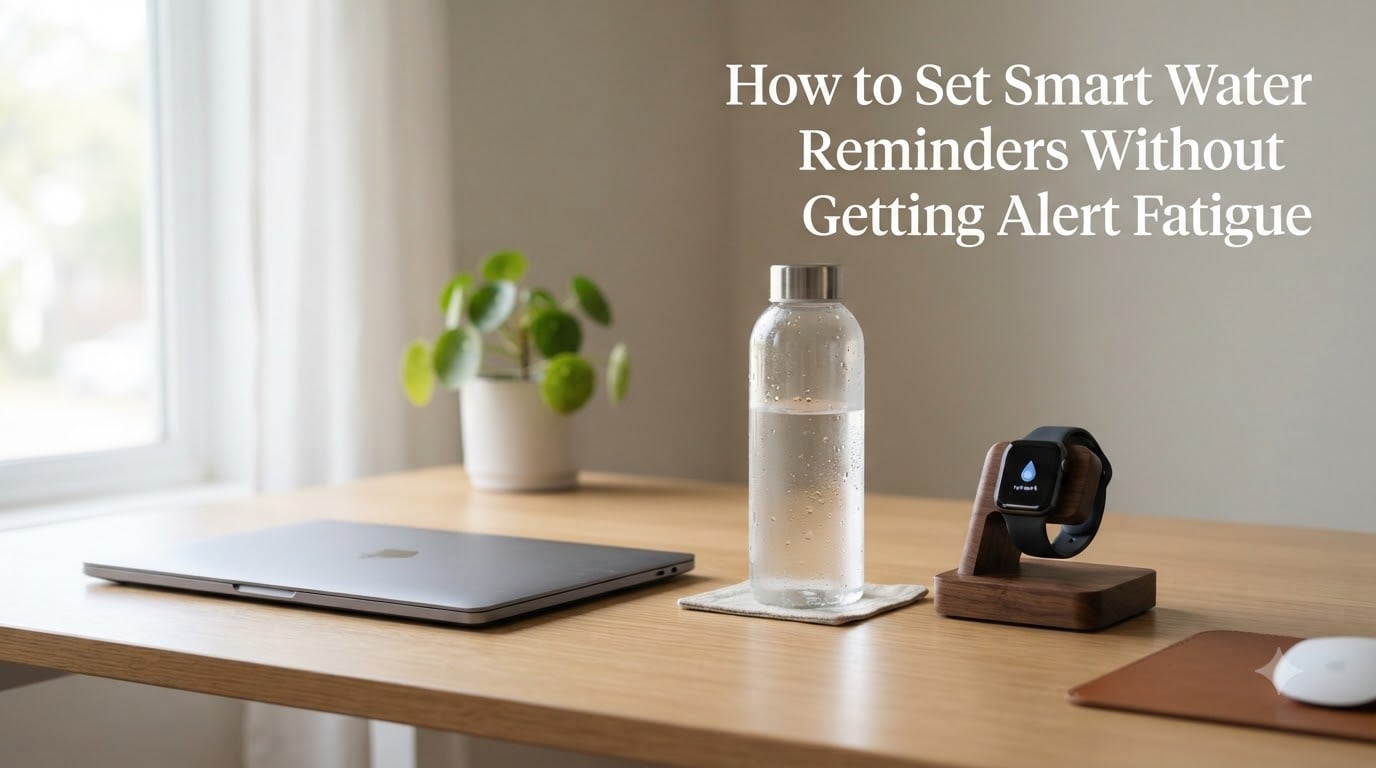
This is why environmental design beats digital reminders. A filled water bottle sitting on your desk next to your mouse is a constant visual cue that requires zero notifications. Many forum users report that simply keeping water visible eliminated their need for reminder apps entirely.
Principle 4: Fade Reminders Once the Habit Forms
The goal of any reminder system is to make itself unnecessary. Once drinking water becomes automatic at certain moments, those reminders should disappear. Smart systems build in this fading effect. Dumb systems send the same alert forever until you mute them.
Plan from day one to reduce reminder frequency over time. Start with hourly cues during the first two weeks. Drop to every two hours in weeks three and four. By month two, you may only need one or two daily nudges, perhaps a morning reminder to fill your bottle and an afternoon check-in.
How to Set Up Smart Water Reminders
Setting up smart water reminders is a five-step process that takes about 20 minutes to configure and a few weeks to tune. The goal is to build a system that works with your existing routines rather than fighting against your attention.
Step 1: Map Your Daily Anchor Habits
Write down five to seven things you do every single day without fail. These are your anchor habits. Common anchors include waking up, starting your computer, eating meals, brushing teeth, arriving home from work, and going to bed. These anchors are the foundation for your reminder system because they are behaviors your brain already runs on autopilot.
The key is choosing anchors that happen at predictable times and locations. “When I open my laptop in the morning” is a strong anchor. “When I feel like it” is not.
Step 2: Attach Water Intake to Each Anchor
For each anchor habit, decide what water action fits naturally. When you wake up, drink a full glass before coffee. When you start your computer, fill your water bottle. After lunch, drink water before returning to work. Before bed, take a few sips.
Write these pairings down. This is your hydration schedule, but it is organized around your life, not around arbitrary clock times.
Step 3: Choose Your Reminder Method
Select one primary reminder method based on your habits and preferences. If you are always at a desk, a visual cue like a marked water bottle may be all you need. If you are on the move, a wearable with haptic feedback works better than phone alerts. If you respond well to accountability, a gamified app with streak tracking can provide motivation.
Resist the urge to stack multiple reminder methods on day one. Start with one system, test it for a week, and add more only if needed. Layering three different notification systems is a fast track back to alert fatigue.
Step 4: Configure Reminder Timing and Tone
If using an app or phone reminders, configure them to match your anchor habits rather than fixed intervals. Set a morning reminder tied to your wake-up routine. Set a midday reminder tied to lunch. Set an afternoon reminder around your typical energy dip, usually between 2 and 3 PM.
Customize the reminder message to include the action, not just the prompt. Instead of “Time to drink water,” use “Fill your bottle at the kitchen sink.” The more specific the instruction, the more likely you are to follow through without thinking.
Step 5: Review and Adjust Weekly for the First Month
After one week, evaluate honestly. Which reminders did you act on? Which did you dismiss? Are you actually drinking more water, or just receiving more notifications? Adjust based on real data, not assumptions.
If you swiped away a particular reminder more than twice, move it to a different anchor or delete it entirely. If you found yourself thirsty at a time with no reminder, add one there. The first month is about calibrating the system to your actual patterns.
Comparison of Reminder Methods
Different reminder methods work for different people and situations. Here is how the main approaches compare, based on user experiences from forums and our own testing.
Phone notification apps are the most common starting point. They are free, easy to set up, and offer features like intake tracking and goal visualization. The downside is that they compete with every other notification on your phone. Apps like Plant Nanny and Waterllama add gamification elements that help initially, but many users report the novelty wearing off within a few weeks.
Wearable haptic reminders tap your wrist instead of pinging your phone. Apple Watch and some Fitbit models support hydration reminders that feel more personal and less disruptive than a phone alert. Forum users consistently report that a wrist tap is harder to ignore than a phone notification, and less likely to be dismissed unconsciously.
Visual cues are the simplest method and arguably the most effective for desk workers. A water bottle placed directly in your line of sight serves as a constant, passive reminder that requires zero technology. Some bottles feature time markers printed on the side showing how much you should drink by certain hours, turning the bottle itself into a tracking system.
Environmental triggers use your surroundings as hydration cues. Keep a glass by the bathroom sink. Put a water bottle in your car cup holder. Leave a filled container on your nightstand. These cues work because they put water in the exact locations where you will naturally pause and have a moment to drink.
The most effective systems often combine two methods: one digital and one environmental. A morning app reminder to fill your bottle, paired with that bottle sitting on your desk all day, covers both the prompt and the follow-through without creating notification overload.
How to Audit and Tune Your Reminder System
Even a well-designed reminder system needs regular maintenance. Every two to four weeks, run through this five-point audit to keep your hydration cues working effectively instead of fading into noise.
1. Check your dismissal rate. If you use an app, look at how many reminders you actually responded to versus swiped away. If your dismissal rate is above 50 percent for a particular reminder, that reminder needs to change. Move it to a different time, change its trigger, or delete it.
2. Measure your actual intake. For three days, track how much water you actually drink using the bottle markings or a simple tally. Compare this to your target. If you are consistently below target despite active reminders, the system is not working and needs reconfiguration, not more alerts.
3. Identify dead zones. Look for times of day when you consistently drink nothing. Many people hydrate well in the morning and afternoon but completely forget between 3 PM and bedtime. Add a targeted cue for those gaps rather than increasing overall reminder frequency.
4. Prune redundant reminders. If you have both a phone app alert and a wearable reminder firing at the same time, pick one. Redundant alerts accelerate notification fatigue because your brain processes them as repeated noise even if they come from different devices.
5. Test reduced frequency. Once a habit feels semi-automatic, cut your reminder count in half for one week. If your intake stays roughly the same, the habit is forming and those reminders can eventually be retired. If intake drops significantly, keep the reminders but continue to monitor.
Smart Reminders for Neurodivergent Users
People with ADHD and other neurodivergent conditions face unique hydration challenges. During periods of hyperfocus, internal body signals like thirst, hunger, and even bathroom urgency can fade entirely into the background. Standard reminder apps often make things worse because neurodivergent brains habituate to repetitive stimuli even faster than neurotypical ones.
The most consistent feedback from ADHD communities is that physical, tactile reminders outperform digital notifications. A wrist tap from an Apple Watch is harder to dismiss than a phone alert because it happens on the body rather than on a screen. Multiple Reddit users in r/adhdwomen specifically cite the Apple Watch hydration tap as a turning point for their daily water intake.
Gamified apps also show promise for neurodivergent users, but with a caveat. Apps like Finch and Plant Nanny provide external accountability and reward structures that help with task initiation. The issue is sustainability. Forum reports suggest these apps work well for the first month but lose effectiveness once the novelty wears off. The solution is to treat gamification as a temporary on-ramp, not a permanent system.
For neurodivergent users, the combination that seems to work best is an environmental cue paired with a single daily digital nudge. A clearly visible, large-capacity water bottle on the desk provides constant passive prompting, while one morning reminder to fill it creates the initial action point. This setup minimizes notification exposure while maximizing visual availability.
Frequently Asked Questions
How do I set a reminder for water intake?
Start by identifying three to five daily anchor habits, such as waking up, starting work, and eating meals. Attach a specific water action to each anchor, like drinking a full glass or filling your bottle. Then set reminders tied to those moments using your phone’s built-in reminder app, a dedicated hydration app, or a wearable device. The key is connecting reminders to existing routines rather than using fixed time intervals.
What is the 10-gulp rule?
The 10-gulp rule is a simple hydration guideline that suggests drinking 10 large gulps of water each time you take a drink rather than sipping small amounts. This approach helps you consume a meaningful volume of fluid with each hydration break, making it easier to reach daily intake goals without needing constant reminders throughout the day.
Is there a device that can remind me to drink water?
Yes. Several devices can remind you to drink water, including smartwatches like the Apple Watch and Fitbit that offer haptic tap reminders, smart water bottles like HidrateSpark that glow when it is time to drink, and smart lids that track intake automatically. Wearable haptic reminders are generally more effective than phone notifications because a wrist tap is harder to dismiss unconsciously.
Is there a connection between ADHD and forgetting to drink water?
Yes, there is a strong connection. People with ADHD and other neurodivergent conditions often experience reduced interoceptive awareness during periods of hyperfocus, meaning internal body signals like thirst do not register consciously. This makes external hydration cues especially important. Physical and tactile reminders, such as wrist taps from a smartwatch, tend to work better for ADHD users than phone notifications.
Does the water reminder app really work?
Water reminder apps can work, but their effectiveness depends on how they are configured. Apps that send generic hourly notifications typically cause alert fatigue within two weeks and get muted or uninstalled. Apps that allow event-based scheduling, intake tracking, and reminder customization tend to be more effective. The most successful approach combines an app with environmental cues like a visible water bottle on your desk.
What are the signs you are not drinking enough water?
Common signs of inadequate hydration include persistent fatigue, difficulty concentrating, headaches, dry mouth and lips, dark-colored urine, dizziness when standing, dry skin, and reduced physical performance. Even mild dehydration of around 2 percent of body weight can noticeably impair cognitive function and reaction time. If you experience these symptoms regularly, increasing water intake and using smart reminders can help.
Conclusion
Smart water reminders are not about receiving more notifications. They are about receiving fewer, better-timed cues that connect to your existing routines and fade away once the habit takes hold. The five-step setup process, mapping anchor habits, attaching water actions, choosing one method, configuring timing, and auditing weekly, gives you a system that adapts to your life rather than demanding your attention.
Start simple. Pick three anchor habits today and pair each one with a specific water action. Add a single visual cue, like a filled bottle on your desk. Resist the temptation to install three apps and set ten daily alerts. You can always add complexity later, but starting lean prevents the alert fatigue cycle from repeating.
Your next step is to run through the five-step setup right now. Write down your anchor habits, decide your water actions, and choose one reminder method to test this week. In 2026, the best hydration system is the one you actually maintain, and that means designing reminders you can live with for months, not days.